Core Concept
One curve defines the entire form
Profile Shape works on a simple principle: a 2D spline curve describes the side silhouette of a rotationally symmetric object. The horizontal axis maps to radius, the vertical axis maps to height. 3dSynth sweeps this profile into a continuous spiral toolpath and generates G-code directly. No intermediate mesh is created.
What it is
A parametric profile editor that converts a Bezier spline into a manufacturing-ready toolpath. You control the exact radius at every layer. The output is deterministic: same profile, same G-code.
What it is not
Not a mesh modeler. Not a slicer. There is no STL in the pipeline, no triangulation, and no approximation of your intended form. The toolpath follows the mathematical curve.
Profile Editor
Define the silhouette. Control every point.
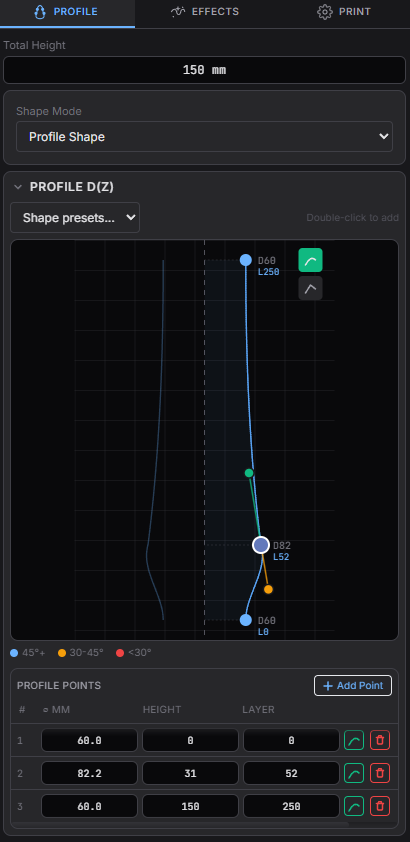
The profile editor is a 2D spline graph. Each control point sets the diameter at a specific height. Bezier handles between points create smooth transitions. The result is a continuous curve from the base to the top of the object.
- Radius at every height
Each point defines how wide the object is at a given layer. Move points to reshape the form. - Bezier interpolation
Smooth curves between control points. Drag handles to adjust curvature. - Exact height
Set total object height as a single parameter. Layer count is derived from your layer height setting. - Shape presets
Start from cylinder, vase, bowl, or cone profiles. Then adjust.
31+ Modulators
Stack effects onto the profile
Modulators displace the profile radially per layer, per angle, or per path position. They are parametric functions applied to the base curve. Stack multiple modulators to combine surface behaviors. Each one has its own amplitude, frequency, phase, and layer range.
Shape Modes
Three ways to generate the toolpath
Profile Shape supports multiple generation modes. Each one produces a different toolpath structure from the same profile curve.
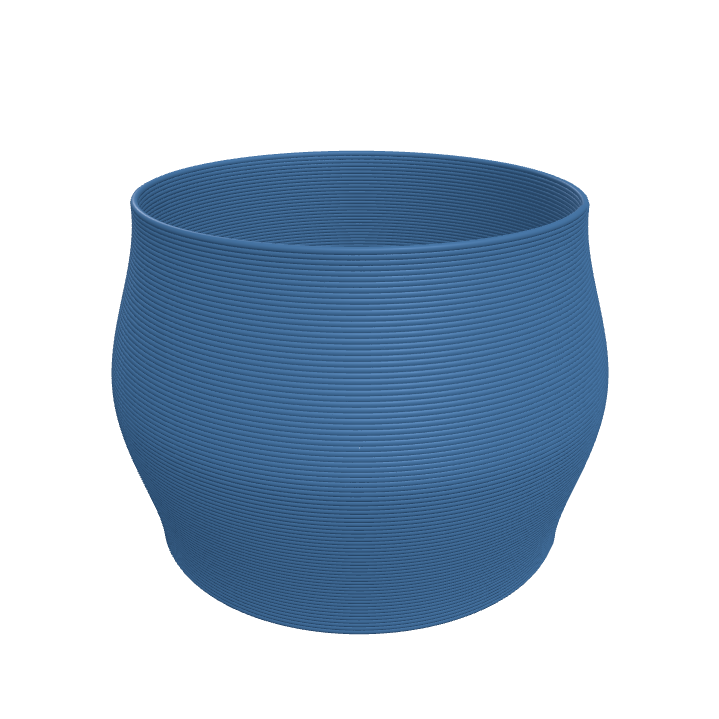
Spiral Vase
The default mode. Generates a continuous spiral with a constant Z increment per revolution. Single-wall construction with no seam and no layer transitions.
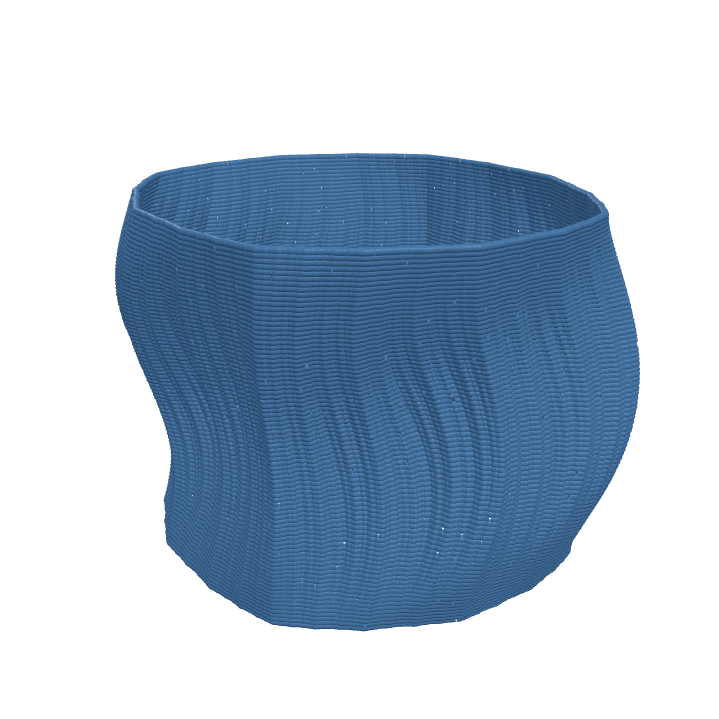
Julia Stack
Replaces the circular cross-section with quadratic Julia set boundaries. The fractal parameters morph over Z, producing forms that cannot be described by conventional profiles.
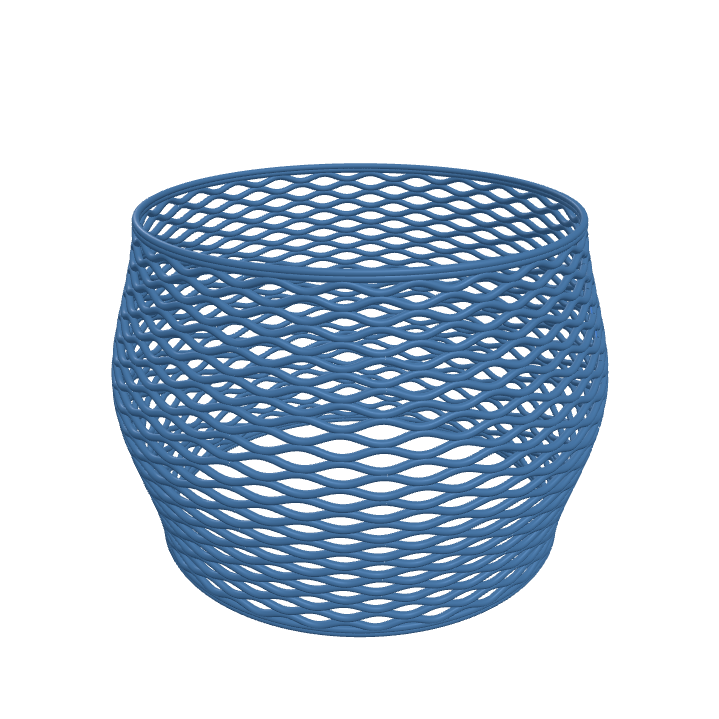
Contour Wave
Generates a woven lattice structure. Z-height oscillates per layer with a 180-degree phase shift between consecutive layers, creating interlocking ridges.
Workflow
Profile to print in four steps
Draw
Define the profile curve. Set control points and adjust Bezier handles.
Modulate
Stack modulators to add surface displacement, texture, or structural patterns.
Preview
Inspect the generated toolpath in the real-time 3D viewport. Changes update immediately.
Export
Download G-code for your printer. Or export as STL, OBJ, or glTF.
Growth Curve
Control effect intensity over height
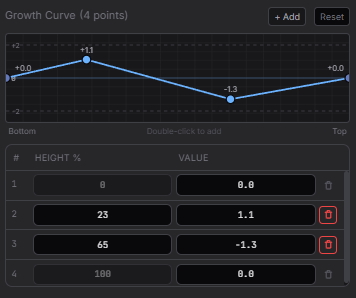
The Growth Curve scales the strength of each modulator from 0% to 100% over the object's height. Each effect can have its own start and end layer range. This allows effects to fade in, peak, and fade out at specific heights within the same object.
Output
Export formats
Direct G-code
The primary output. G-code is generated directly from the parametric profile and modulators. No intermediate mesh or slicing step. Includes verified start/end sequences for your printer profile.
3D model export
For use outside 3dSynth, export the generated geometry as STL (binary), OBJ, glTF/GLB, or animated glTF with layer-by-layer build animation.
Try Profile Shape
Draw a profile. Stack effects. Export G-code. No account required for the free version.
For arbitrary 2D shapes or procedural toolpath programming, see SynthBlocks.